Webmail for Stalwart Mail Server.Webmail for Stalwart, served as static files.
Bulwark puts mail, calendar, contacts and files in one browser client that talks JMAP to your own server.Bulwark Lite is the same client as a folder of HTML and JavaScript. Upload it to any web host and the browser talks JMAP to Stalwart directly.
Open source
AGPL-3.0, developed in public on GitHub.
Built on JMAP
Stalwart pushes each change, and the client fetches only the difference.
27 languages
Translated by the people who use it.
Built in the EU
Runs on your hardware and stores nothing of its own.
Everything Stalwart stores, in one interface.
Stalwart keeps your messages, calendars, address books and files. Bulwark shows all four in the same window, with a single search across them.
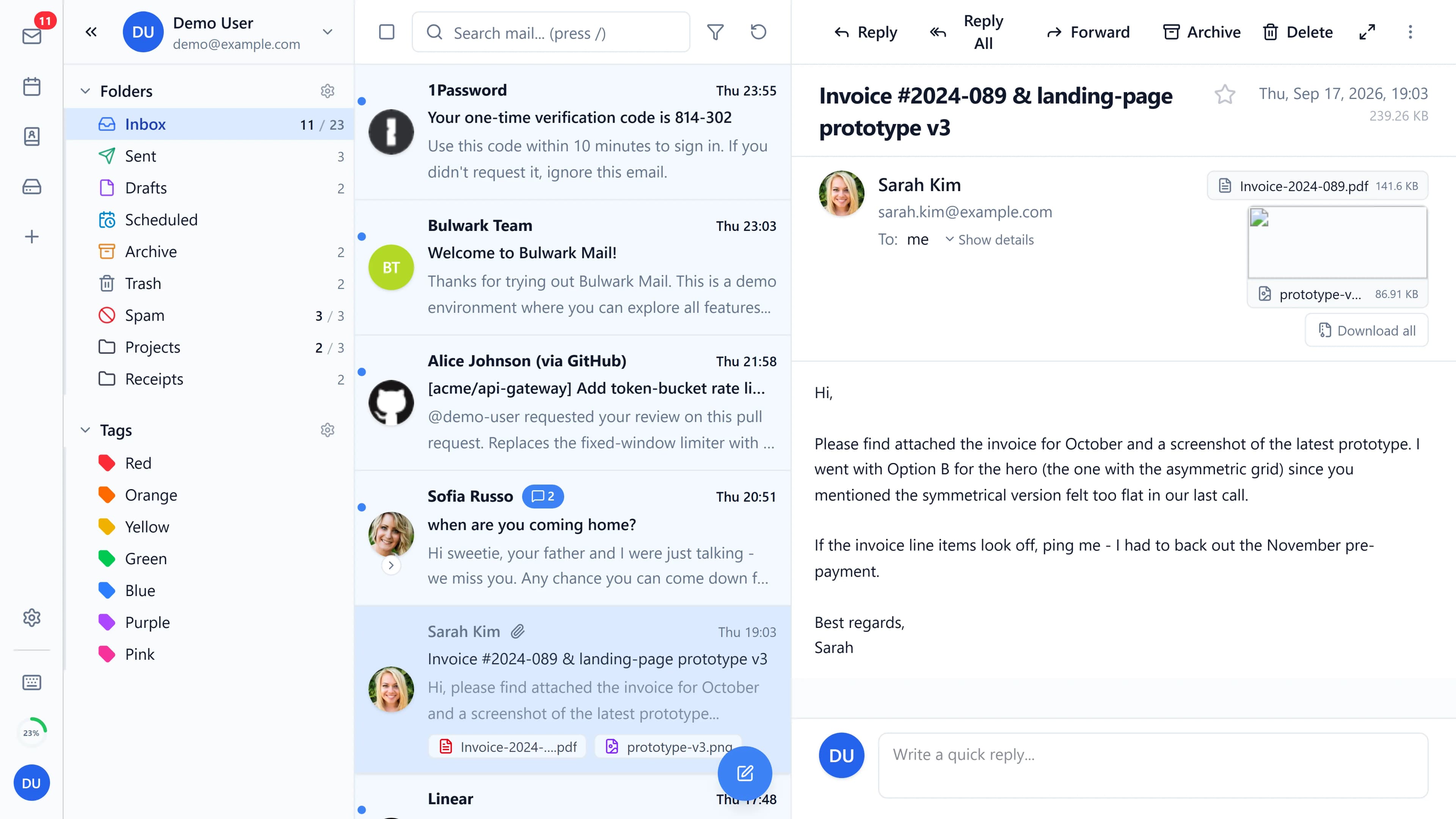
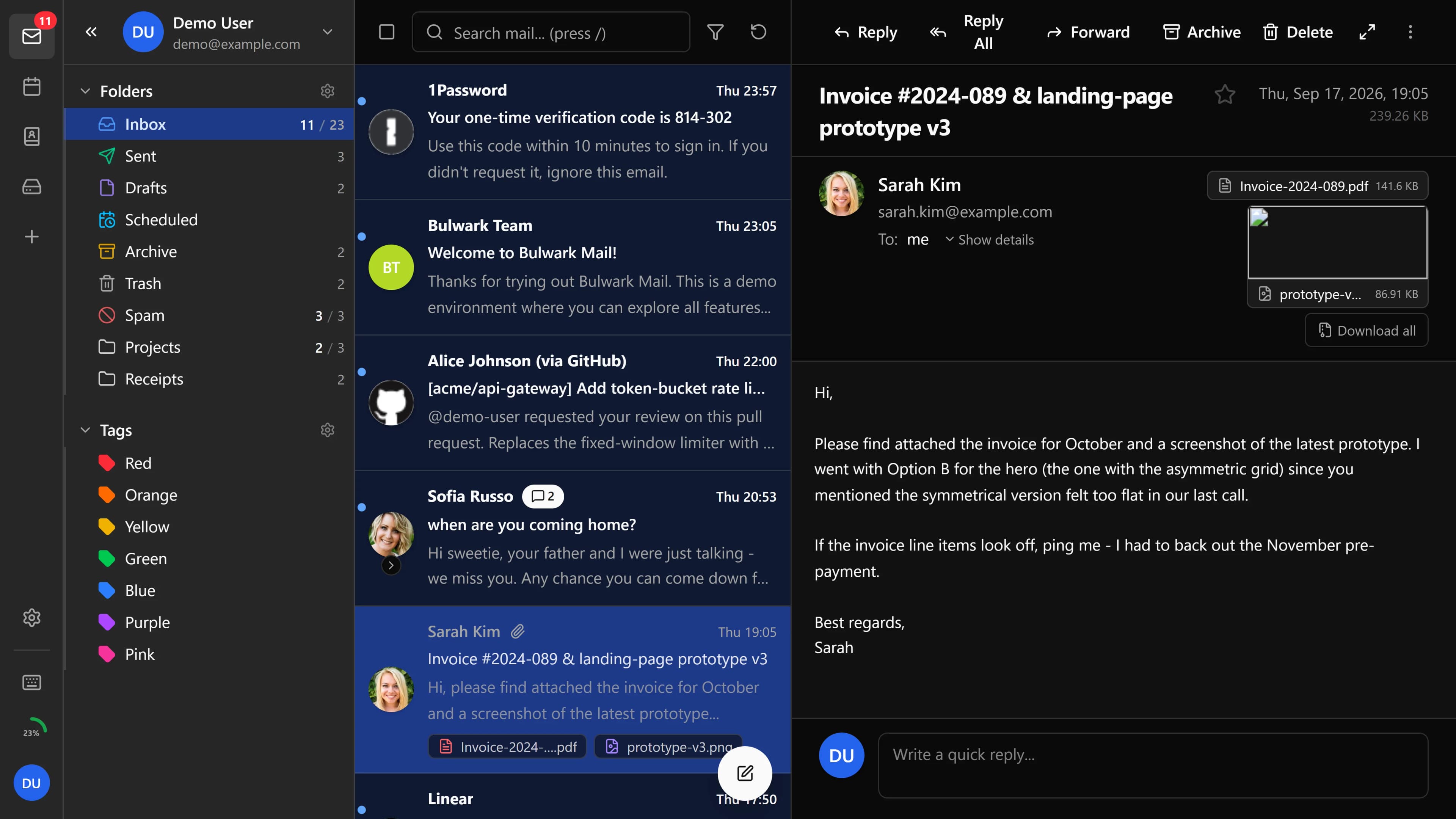
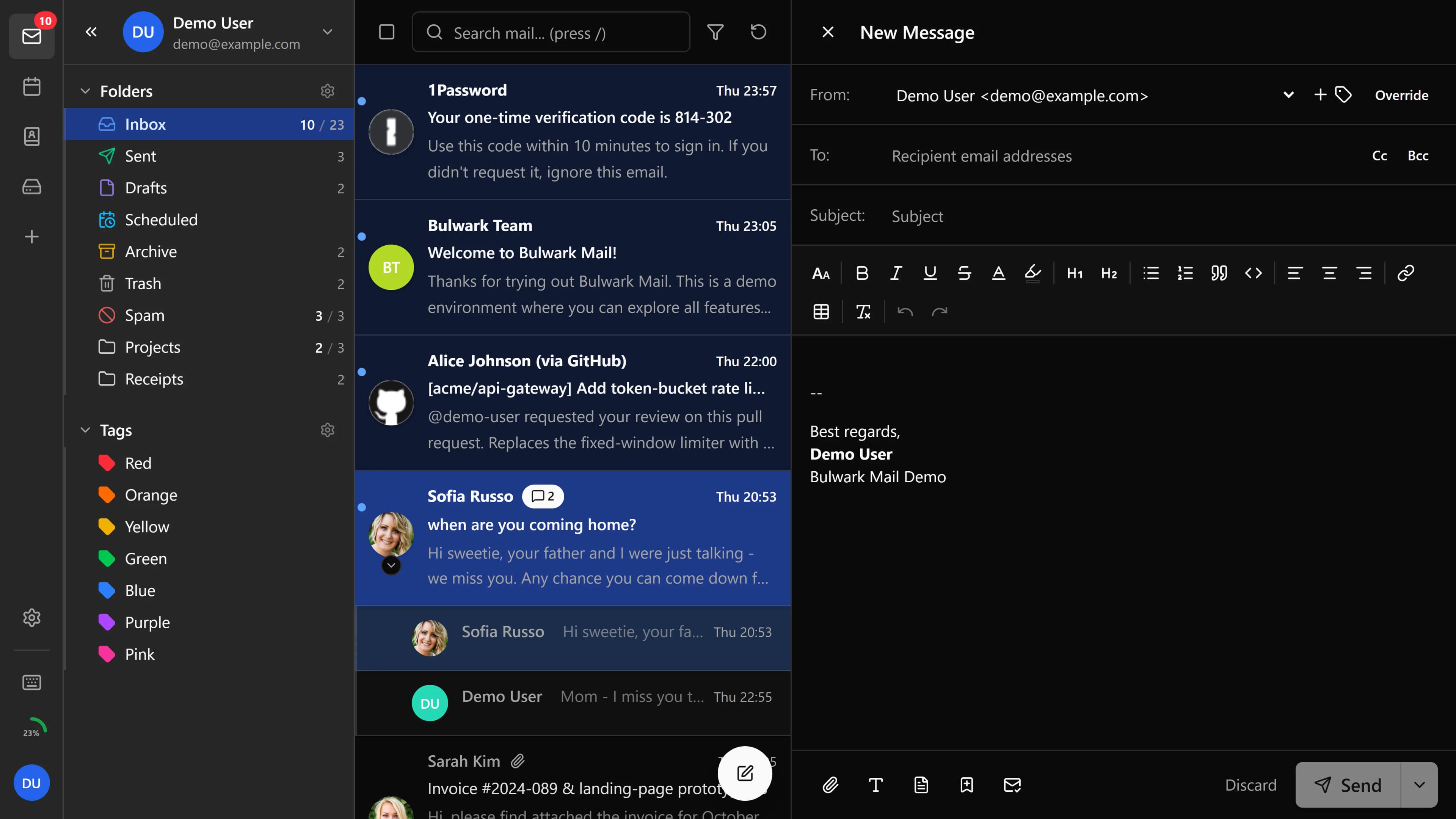
Mail opens as threads, with search across every folder.
The server threads each conversation and a unified inbox covers every account. Sieve filters, templates and S/MIME are built in.
Mail features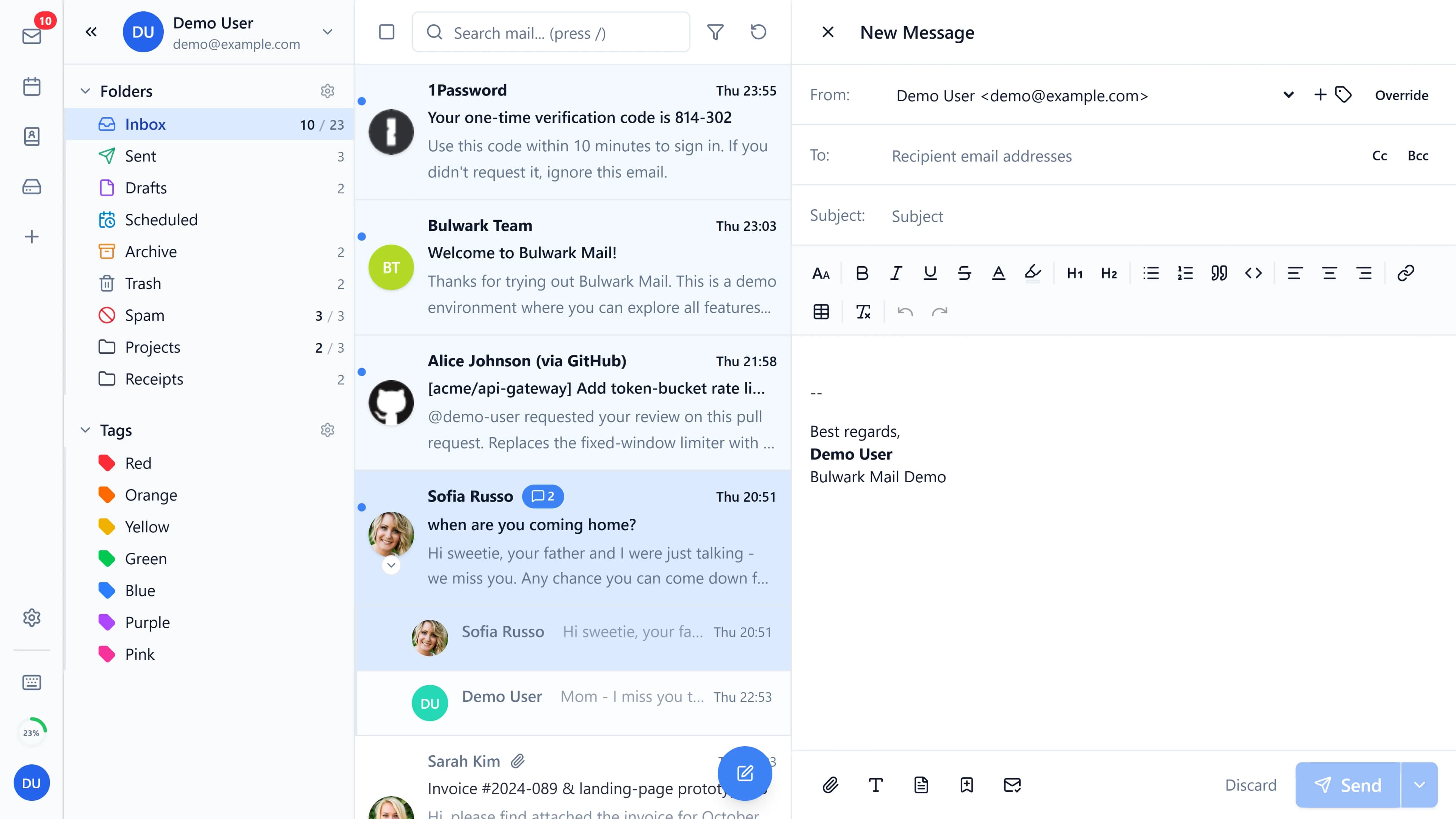
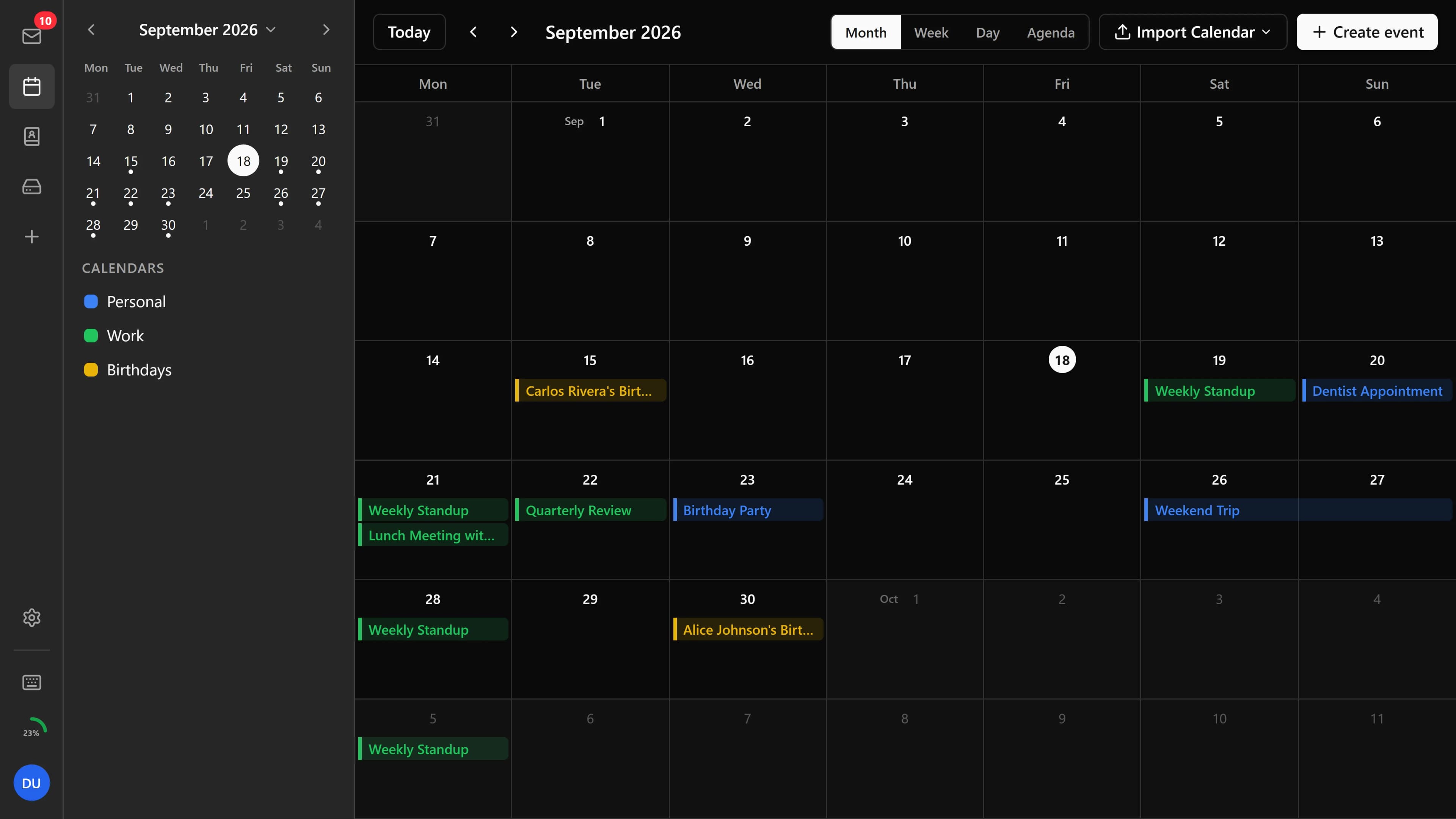
The calendar handles invitations and recurring events.
Scroll freely through month, week, day and agenda views. Invitations arrive as mail and are answered from the message, and shared calendars show who is free.
Calendar features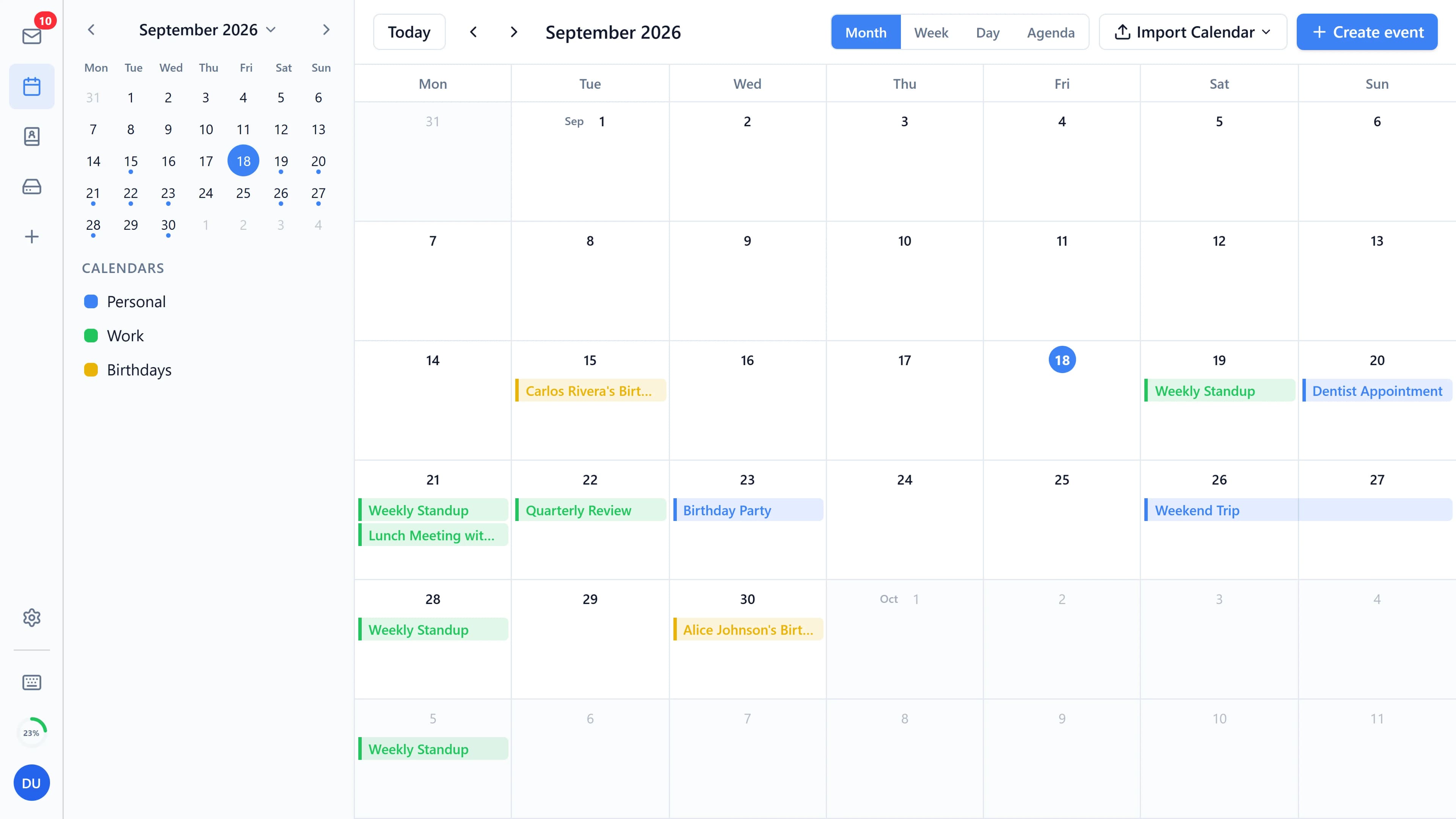
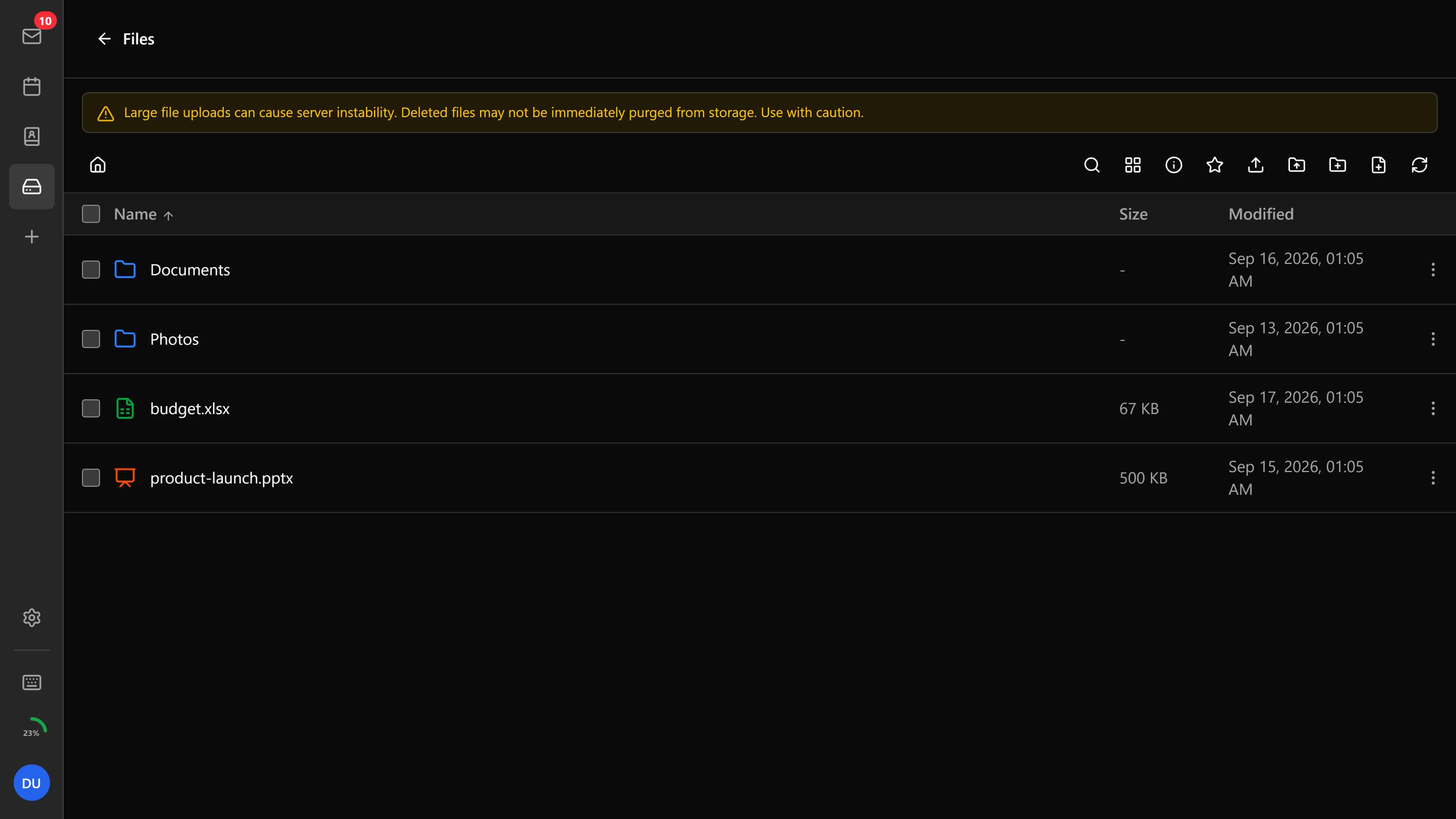
Files sit on the mail server, next to your mail.
Bulwark browses Stalwart's file storage with previews, sharing and folder upload. Office documents open for editing in the browser.Bulwark Lite browses Stalwart's file storage with previews, sharing and folder upload.
Files features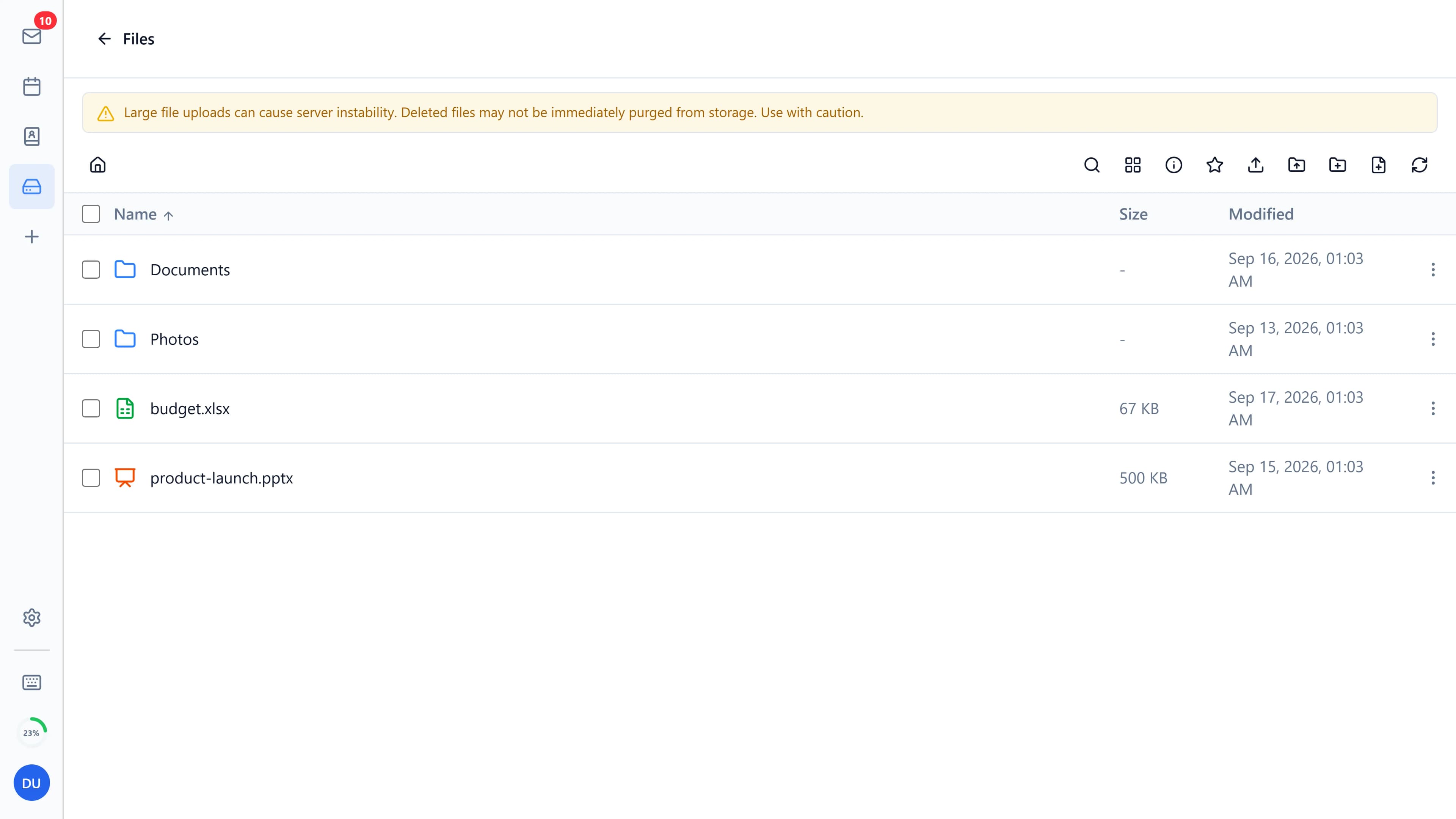
Two editions from the same code.
Bulwark runs as a Node.js container with an admin console. Bulwark Lite is the same client exported as static files, for hosts that only serve HTML.
Compare the editions Take the one-minute quiz| Feature | Bulwark | Bulwark Lite |
|---|---|---|
| Mail, calendar, contacts and files | Yes | Yes |
| Sign-in with a password | Yes | Yes |
| OAuth and single sign-on | Yes | No |
| Plugins and sidebar apps | Yes | No |
| Settings that follow you between devices | Yes | No |
| Admin console and setup wizard | Yes | No |
| Office document editing | Yes | No |
| Web push and the update notice | Yes | No |
| Runs on | Docker or Node.js | Any static web host |
Run Bulwark as one container.Upload Bulwark Lite in three steps.
Docker is the only requirement. There is nothing to clone and no config file to write first.Lite is a folder of HTML, JavaScript and one JSON file. It runs on any host that serves static files, with one setting changed on the mail server.
- 1Run the container.
$ docker run -d -p 3000:3000 ghcr.io/bulwarkmail/webmail:latest - 2Open
http://localhost:3000. The setup wizard finds your Stalwart server and sets the admin password. - 3Put your reverse proxy in front. The docs have examples for Caddy, nginx and Traefik.
- 1Download
bulwark-lite-<version>.zipfrom the latest release and unzip it. - 2Set
jmapServerUrlinconfig.jsonto your Stalwart server. - 3Upload the folder, and set
http.permissive-cors = truein Stalwart. The static hosting page has host snippets.
More from the Bulwark project.
Bulwark is open source under AGPL-3.0.
The code, the issue tracker and the release notes are public, and 6,192 instances have reported in so far. Sponsors pay for the work.
Questions about running Bulwark
Is Bulwark the mail server?
Bulwark is the client. Stalwart is the mail server: it holds the messages, speaks SMTP, and owns the accounts and the spam filtering. Install Stalwart first, then point Bulwark at it.
Why JMAP?
JMAP moves threading, search and change tracking to the server and returns only what changed. The inbox updates by push, and marking twenty messages as read is one request.
Bulwark or Bulwark Lite?
Choose Lite if you already run a web server and your users sign in with a password. Choose Bulwark for OAuth, plugins, settings sync or the admin console. Both build from the same commit and store nothing of their own, so switching is a redeploy.
Does it work with a Stalwart server I already run?
Yes. Point Bulwark at the JMAP endpoint and sign in with the accounts you have. Nothing migrates, and Stalwart stays the source of truth.
What does deployment look like?
One container next to Stalwart, behind the reverse proxy you already use. There are working examples for Caddy, Traefik and nginx, a compose file for the pair, and a standalone tarball on every release for installs without Docker.
What does deployment look like?
A folder. Unzip the release, set the server URL in config.json, and upload it to whatever already serves your HTML: nginx, Caddy, Netlify, Cloudflare Pages, GitHub Pages or an S3 bucket. Updating means uploading the next zip over it.
Why does Lite need a CORS setting on the mail server?
In Lite the browser talks to Stalwart directly, from your static host's origin, and browsers only allow that when the mail server says so. One line in Stalwart's config, http.permissive-cors = true, allows it.
Can I try it first?
A demo runs at demo.bulwarkmail.org with a shared mailbox that resets every hour. The container also starts on your own machine in about ten minutes.